Maintenance Manager for Business Central
Plan, request, carry out and analyse machine maintenance inside Business Central. Maintenance Manager brings your machines, preventive schedules, breakdown requests, technicians, spare parts and costs together in one app — so every stoppage is planned, recorded and costed.
End-to-end maintenance management
A short tour: registering machines, planning preventive maintenance, reporting a breakdown and following the work through to completion in Business Central.
Features
Machine Register
Every machine with its location, status (active, inactive, under maintenance) and full maintenance history. Link machines to Business Central machine centers and import them in one step.
Maintenance Requests
Anyone in the company can report a fault or ask for maintenance. The maintenance team reviews the request, converts it into an activity and the requester is informed when it is done.
Preventive Maintenance
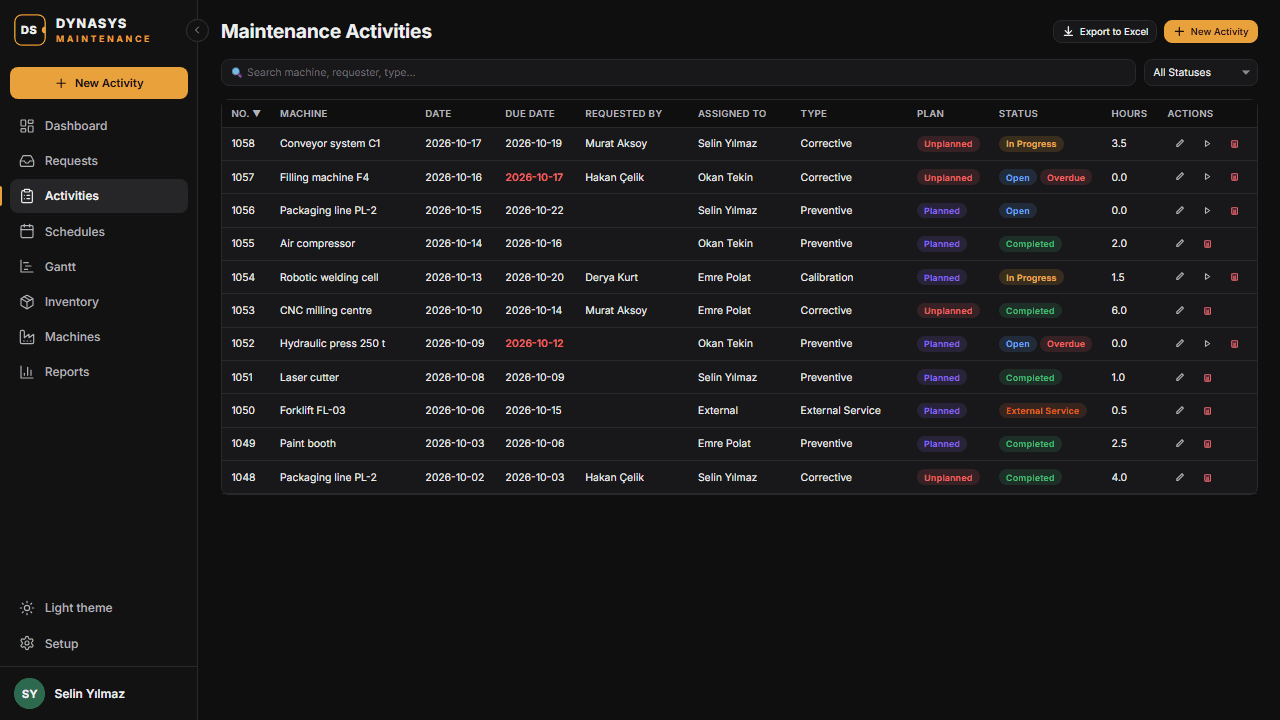
Recurring schedules per machine — every so many days, weeks or months. Activities are created automatically ahead of the due date by a daily job, and can block the machine's capacity in Business Central manufacturing.
Work Orders
Planned and breakdown activities move from open to in progress to completed, or to an external service. Each has a work log, up to three photos and a full record of who did what.
Team and Service Providers
Assign activities to your technicians, linked to Business Central employees with an hourly rate, or to external service providers, whose work and costs are tracked alongside your own team's.
Spare Parts Stock
A maintenance parts list with categories, units of measure and minimum stock. Parts used on an activity are taken from stock and put back if the activity is cancelled.
Cost Tracking
Labour, materials and external service costs are calculated for every activity and added up per machine, period and team member.
Dashboard, Gantt and Reports
Open requests, overdue work, upcoming schedules and costs at a glance; team performance and SLA charts; a Gantt plan of all machines; and reports with MTTR, MTBF and machine availability.
E-mail Notifications
Technicians are told when an activity is assigned to them, requesters when their work is completed, and the team when a new request arrives — through Business Central's own e-mail setup.
Licensing
- Licensed per company, for named users, with an annual licence key issued by DYNASYS.
- Every new company gets a 30-day free trial for up to 3 users, which starts automatically the first time the app is used.
- People who only submit maintenance requests do not need a licence. Licences are needed for the maintenance team and managers who work with activities, schedules, machines and reports.
- Licences are managed in Business Central on the Dynasys License Setup page, installed together with the app.
- To request a licence or a longer trial, use Request a License in Business Central or write to licenses@dynasys.tech.
Legal and Documentation
Important product information
Ready to eliminate unplanned downtime?
Start the free trial in your own company, or book a short demo with your machines.