Dynasys Insights for Business Central
Sales, purchase, finance and stock analytics, ready the moment you install it. Dynasys Insights turns your posted Business Central data into clear charts and KPIs — with targets, year-over-year comparison and a click-through to the documents behind every figure — without leaving Business Central.
See how it works
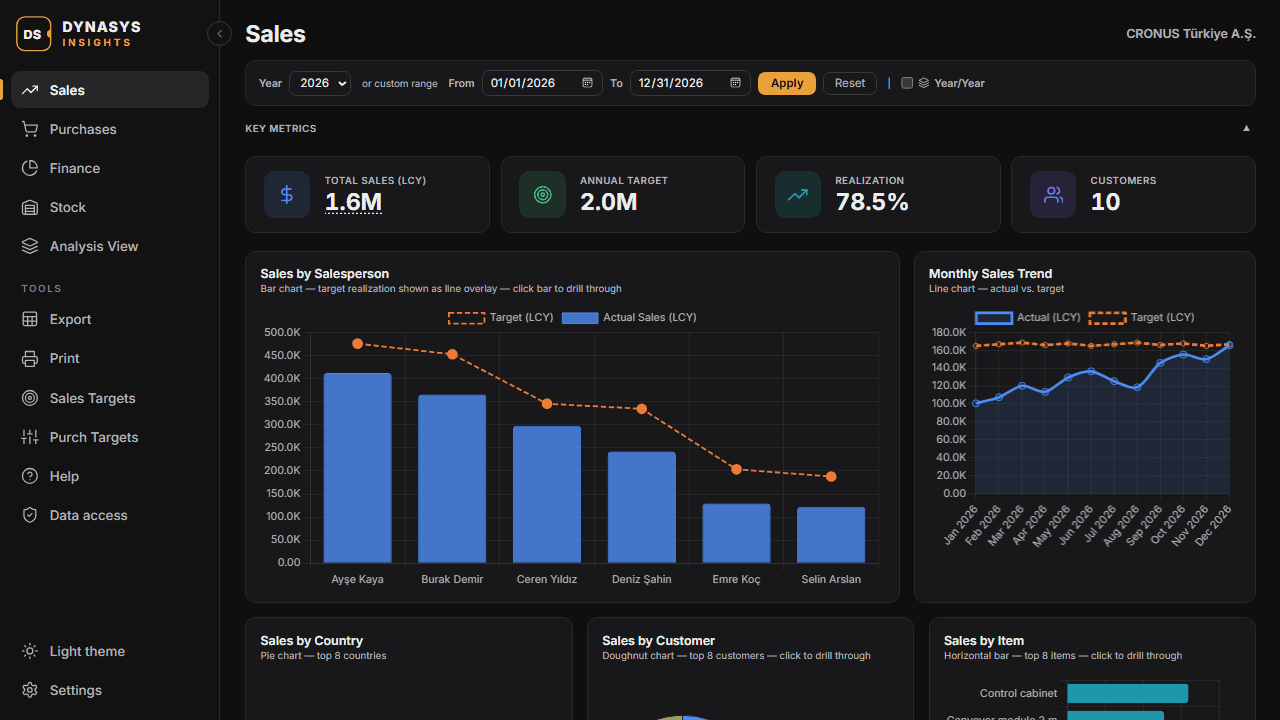
Open Insights and your figures are already there: net sales, purchases, receivables, payables, budgets and stock, for the year or any period you choose. Click a bar or a KPI to see the invoices or ledger entries it is made of, and open them in Business Central.
Features
Five Ready-Made Dashboards
Sales, Purchases, Finance, Stock and Analysis View — each with its own KPIs and charts, available right after installation. No dashboards to design and no data to import.
Sales, Purchase and Finance KPIs
Net sales and purchases by salesperson, customer, vendor, item, country and month; Pareto and year-to-date analysis; receivables and payables aging, cash flow forecast, gross margin by item and stock health.
Targets and Budgets
Monthly sales targets per salesperson and purchase targets per vendor, shown against actual figures with realization percentages. Net result against your G/L budget, and budgets in analysis views.
Year-over-Year Comparison
Choose a year or any date range, and compare it with any earlier year in one click. Switch amounts between local and an additional reporting currency.
Drill Down to the Documents
Click a chart bar or a KPI to see the invoices, credit memos or ledger entries behind it. The list always adds up to the figure you clicked, and every line opens the document in Business Central.
Excel Export and Print
Export the selected period to Excel, with one worksheet per chart, or print the dashboard as a clean report with your company logo.
Respects Your Permissions
Insights shows each user only the data their Business Central permissions and security filters allow. Sections a user may not read are clearly marked, with the exact tables to ask the administrator for.
Native and Multilingual
Built inside Business Central with no external connection, sync delay or separate login. English, Turkish, German, Spanish and Italian; light and dark theme; dimension-based analysis views.
Licensing
- Licensed per company, for named users, with an annual licence key issued by DYNASYS.
- Every new company gets a 30-day free trial for up to 3 users, which starts automatically the first time Insights is opened.
- Licences are managed in Business Central on the Dynasys License Setup page, installed together with the app.
- To request a licence or a longer trial, use Request a License in Business Central or write to licenses@dynasys.tech.
See your Business Central data come to life
Start the free trial in your own company, or book a short demo on your data.